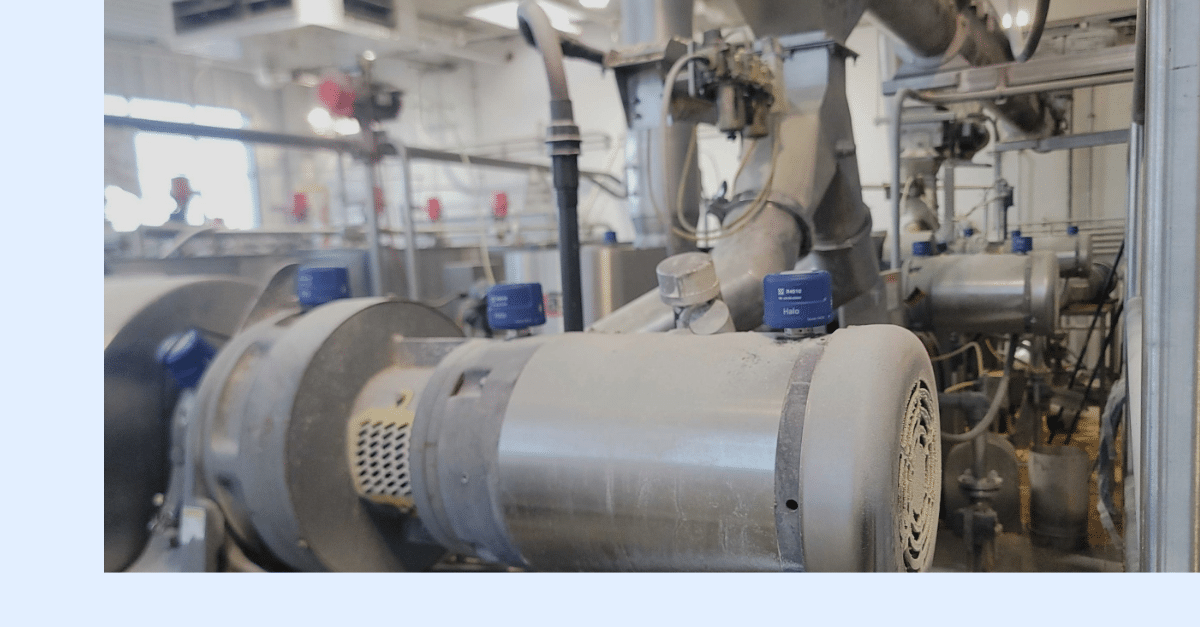

Most critical machines don’t develop faults on your inspection schedule. A gearbox can start to wear the day after a technician’s round and keep deteriorating until the next reading. Remote condition monitoring keeps those assets under continuous watch, so your team can see a change early, from wherever they’re working.
Remote condition monitoring is more than how data gets collected. When condition data comes to your team instead of your team going to the machine, route hours can shift to repairs and root cause work. Hard-to-reach and hazardous assets can get the same attention as the ones next to the main aisle. And more early warnings turn into planned maintenance instead of emergency repairs.
This article covers how remote monitoring compares with route-based inspections, how the systems work, six steps to get more from a program, and what to look for in a solution.
Key highlights:
- Remote condition monitoring is the continuous, sensor-based tracking of equipment health from a central platform, so teams can see developing faults without collecting readings by hand.
- Compared with route-based inspections, remote monitoring captures what happens between rounds and extends coverage to hard-to-reach and hazardous assets.
- Getting the most from remote monitoring means deciding which assets to cover, who owns each alert, and which route-based tasks to retire.
- Each alert should reach its owner wherever they’re working, with the likely fault, its severity, and what to do next. Industrial AI diagnostics can provide that, with certified analyst review on the assets that need it.
What is remote condition monitoring?
Remote condition monitoring is condition monitoring done with permanently installed sensors that send data to a central platform, so teams can review an asset’s condition without anyone standing at the machine. Condition monitoring itself is the continuous or periodic measurement and interpretation of data that shows an asset’s condition, used to decide when maintenance is needed. Sensors on motors, pumps, fans, gearboxes, and other rotating equipment measure signals such as vibration, temperature, and magnetic flux. Software, increasingly Industrial AI, compares each reading with the asset’s normal behavior and flags changes that point to a developing fault. A vibration monitoring system sits at the core of most remote programs, since vibration reveals a wide range of mechanical faults.
Monitoring works best on failure modes that develop gradually and show up in the measured signals. Faults that progress very quickly, or that don’t change what the sensors measure, still need other safeguards.
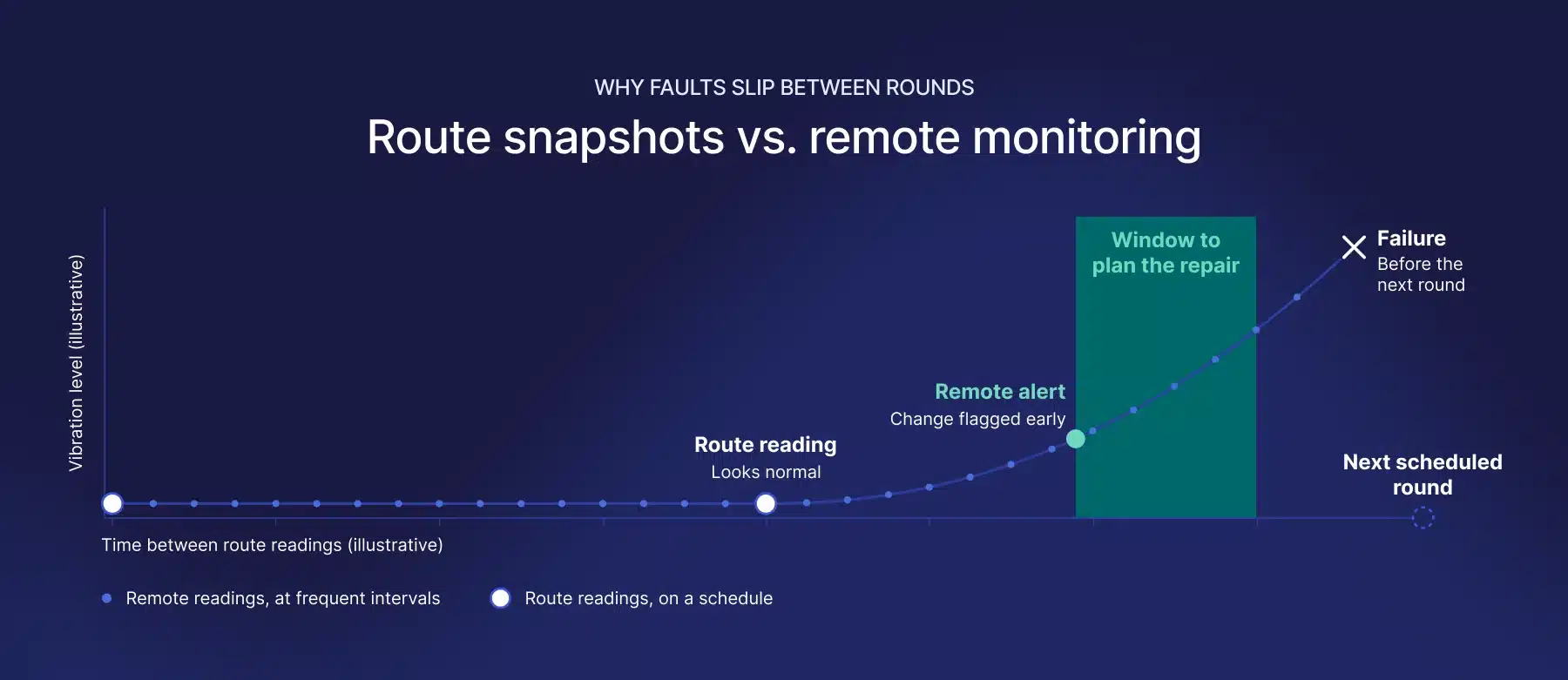
In a periodic program, a technician walks a route with a handheld data collector, takes readings at each measurement point, and uploads them for analysis. That gives you a snapshot of each asset on the day of the round. Remote condition monitoring fills the gaps between snapshots with a continuous record, so trends show up between rounds, and your team can review machine condition monitoring data without making the trip. Handheld tools still have a place: confirming an alert in person, or checking an asset that isn’t instrumented.
Remote condition-based monitoring vs. route-based inspections: What’s the difference?
The difference between remote condition-based monitoring and route-based inspections is how often you see an asset’s condition: route-based inspections collect readings on a schedule, while remote monitoring collects them automatically at frequent intervals and delivers them to your team.
| Comparison point | Route-based inspections | Remote condition monitoring |
| Data collection frequency | At fixed intervals set by the route schedule | Automatically, at frequent intervals around the clock |
| Assets monitored | Assets technicians can reach safely during a round | Any asset with a suitable sensor, including hard-to-reach, ultra-low-speed, and classified-area equipment |
| Fault detection lead time | Depends on how the route interval compares with how fast a fault develops; a fast-moving fault can go from detectable to failure between rounds | Changes can be flagged as they develop, which gives your team more time to plan |
| Technician hours spent collecting data | Hours spent walking routes and taking readings every cycle | Sensors handle routine data collection, so technician time can shift to reviewing alerts and making repairs |
| Technician exposure to hazardous areas | Technicians enter hazardous or hard-to-reach areas to take readings each round | Routine entries for data collection drop; installation, inspections, and repairs still require access |
Route data has its own strengths: a skilled analyst with a portable collector can choose measurement points and settings on the spot, and one technician can cover many lower-criticality assets at a low cost per asset. Fixed sensors bring consistency instead, with readings from the same point every time and across changing speeds, loads, and products, not only at the moment of a visit.
At Nestlé Purina’s King William facility, technicians once spent hours on manual vibration routes while problems slipped through between checks. Checking alerts there started with Predictive Maintenance Tech Lead PJ Slusher. As technicians saw catches that prevented major failures, adoption spread to the night shift without a mandate, and eight active users now cover every shift. “Now more and more people on the team are using Augury’s insights,” Slusher said. “This includes people on the night shift, so we’re not missing anything and are fully aligned.”
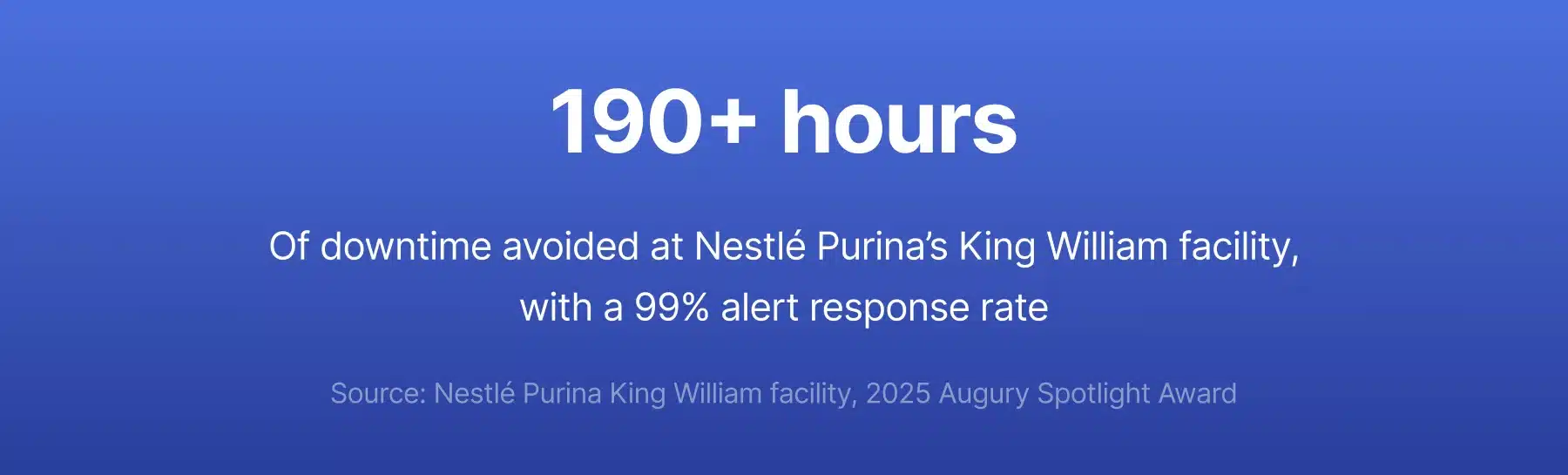
The team responds to 99% of alerts and has avoided more than 190 hours of downtime. They’ve also added thermography and ultrasound in-house, so remote monitoring and hands-on inspection work side by side.
What do maintenance teams gain from remote monitoring?
Remote monitoring gives maintenance teams earlier warnings, fewer unplanned stops, safer coverage of difficult assets, and more time for the work that needs them on the floor. These gains depend on the team acting on what the data shows.
- Earlier warning of developing faults: Continuous data shows the early stages of bearing wear, misalignment, or looseness, often before a technician could hear or see it, without waiting for the next round. At the Coca-Cola Consolidated plant in Charlotte, North Carolina, six bottling lines run around the clock, and the team once relied on manual rounds and time-based maintenance while equipment degraded between checks. With continuous monitoring in place, they caught a filler gearbox fault weeks early, scheduled the repair during planned maintenance, and kept production running.
- Less unplanned downtime: When a fault shows up early, the repair can move into a planned window, as long as parts and people are ready. A conveyor drive motor with a developing fault can be replaced during a scheduled changeover instead of stopping the line mid-shift. That’s how continuous data helps teams reduce unplanned downtime.
- Safer coverage of hard-to-reach and hazardous assets: Rooftop fans, cooling tower drives, and equipment in classified areas are some of the hardest assets to include on a route. Wireless sensors certified for hazardous environments collect data in Class I and II, Division 1 and 2 areas, or equivalent zones, so technicians enter those spaces mostly for repairs rather than routine readings.
- More assets monitored by the same team: Automated data collection reduces the per-asset labor of a route, so coverage can grow without adding rounds. At Hill’s Pet Nutrition in Tonganoxie, Kansas, a routine check on a nine-story machine means climbing nine flights of stairs. With continuous monitoring in place, a team of three maintenance professionals covers a facility with more than 80 critical assets, and one technician describes the sensors as “83 maintenance employees parked at machines watching them.” The team has prevented $1.7 million in material loss and avoided 109 hours of downtime.
- Better-timed maintenance based on asset condition: More work can happen when the data says it’s needed. A fan on a fixed bearing-replacement schedule that’s running clean can stay in service, while one showing early wear gets attention ahead of schedule. That’s the core of condition-based maintenance, and it keeps parts and labor going to the components that need them.
According to “The Total Economic Impact™ Of Augury Machine And Process Health,” a commissioned study conducted by Forrester Consulting on behalf of Augury, July 2025, the composite organization saw a 310% ROI over three years and a 15% reduction in maintenance spend. Results are based on a composite organization representative of interviewed customers over three years.

How remote condition monitoring systems work
Remote condition monitoring works as a closed loop that starts with a sensor on the plant floor and closes when a planned repair on that same machine is confirmed. In a typical wireless setup, sensors send readings to a gateway and on to the cloud, where software, increasingly Industrial AI, compares them with each asset’s baseline. (For a closer look at that technology stack, see how IoT and predictive maintenance work together.)
What makes the loop remote is what happens next. An alert reaches the person who owns it, on-site or off, ideally with the likely fault, its severity, and a recommended action. Depending on the service level, a certified vibration analyst reviews the diagnosis before it reaches your team. Once someone confirms the alert needs action, it becomes a work order in your CMMS, and a technician makes the repair during a planned window.
Post-repair data then shows whether the fix worked. At Hill’s Pet Nutrition in Tonganoxie, that immediate feedback has helped cut rework by 25% to 30%. Agentic tools are starting to extend this loop: the Reliability Agent, for example, assembles an investigation into what’s failing, why, and the steps to fix it, for your team to review and approve.
Six steps to optimize remote condition monitoring
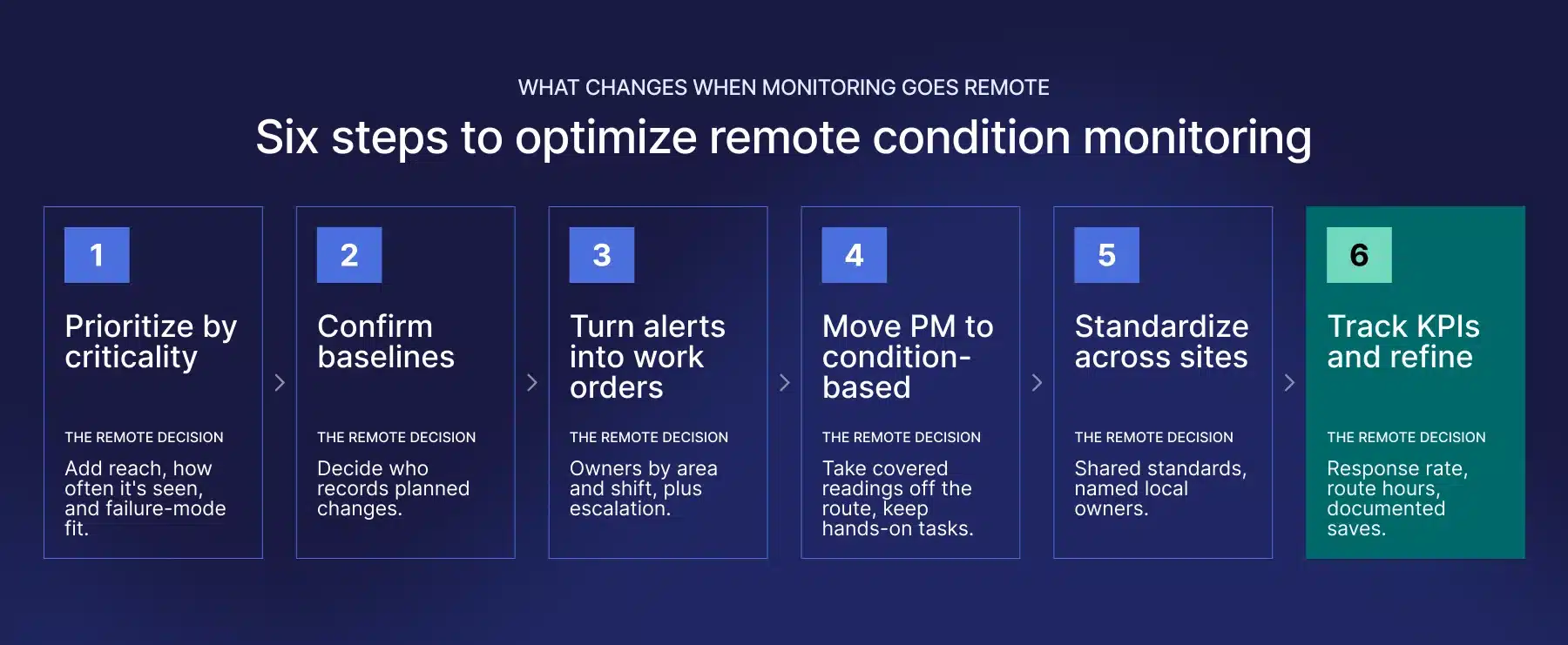
Installing sensors is the starting point. A remote program pays off when it changes how your team decides what to monitor, who acts on each alert, and which manual work can come off the route.
The general steps of building a monitoring program are covered in the guide to asset condition monitoring. The steps below focus on the decisions that change when monitoring goes remote.
1. Prioritize assets by criticality
Start with what a failure would cost: lost production, safety exposure, repair cost, and whether a spare exists. Learning how to identify your critical manufacturing assets gives you that ranking. Then add three factors specific to remote coverage: how hard each asset is to reach on a route, how often anyone sees it, and whether its likely failure modes show up in what sensors measure. A critical pump in a pit or a fan on the roof usually gains more from remote monitoring than a motor beside the main aisle.
2. Confirm normal operating baselines for monitored assets
Systems that learn each asset’s normal behavior still need to know when normal changes on purpose, especially when no one is standing at the machine. Decide who records product changeovers, speed changes, rebuilds, and process adjustments in the platform, so a planned change isn’t read as a developing fault.
3. Define how alerts become work orders
With remote monitoring, the person who sees an alert may be at another site or on another shift. Assign ownership by area and shift, agree on what each severity level means for response time, and route alerts that need action into your CMMS as work orders that carry the asset, likely fault, severity, and recommended action. Set an escalation path, too, so an alert nobody acknowledges doesn’t sit in a queue.
At Nestlé Purina’s Hartwell facility, the team reviews every alert with planners and supervisors. Early on, when critical equipment went into alarm, they walked to the asset with supervisors before creating the work order, and seeing and feeling the vibration together built trust in the alerts quickly. The team now responds to 97% of alerts. Agentic tools can take on part of this step, drafting work orders and ranking them by risk for a planner to approve.
4. Move fixed-interval preventive maintenance to condition-based schedules
Review your preventive maintenance tasks one by one. Readings and condition checks that sensors now cover can come off the route. Tasks that need hands and eyes stay, including lubrication, belt tension, leak checks, regulatory inspections, and anything OEM warranty terms require, though some may move to longer intervals once the condition data supports it.
5. Standardize monitoring across sites
Remote monitoring makes it possible for one central reliability team to watch several plants. It works best when every site uses the same alert definitions, severity scales, response SLAs, asset naming, and work order routing, so an alert means the same thing in every plant and results can be compared. Each site still needs a named local owner who acts on alerts, since a central team can see a fault but can’t fix it. Nestlé Purina, for example, has deployed Augury across more than 20 facilities globally.
6. Track KPIs and refine monitoring coverage
Track standard maintenance KPIs alongside measures specific to remote monitoring: alert response rate, route hours reclaimed, the share of critical and hard-to-reach assets under monitoring, time from alert to work order, the share of alerts that become planned work, and documented saves with the cost and downtime avoided. Expand coverage where failures still surprise you, and match the service level to each asset, with AI-driven monitoring on balance-of-plant equipment and expert review on the machines production depends on.
Key features to look for in remote condition monitoring systems
Use this checklist when comparing remote condition monitoring systems. For a broader list of questions to bring to vendors, see the guide to evaluating a condition monitoring solution.
| Remote condition monitoring system criterion | What to evaluate in the solution | Why it matters for reliability teams |
| Sensor coverage and data types | Which signals each sensor captures (such as vibration, temperature, and magnetic flux), how it mounts, how often it samples and over what frequency range, battery life, which asset types and speeds it supports, and whether certified hardware is available for classified areas (ATEX, IECEx, or CSA) | A remote program only covers what its sensors can reach, so coverage has to match your criticality list |
| Connectivity and data security | Wireless range, gateway capacity, how the network handles a changing plant layout and metal obstructions, how the system flags a sensor that stops reporting, how data is encrypted, who owns the data and whether you can export it, and what your IT team needs for a security review | Remote monitoring depends on data arriving reliably, and IT teams typically review a connected system before it scales |
| Diagnostic accuracy and expert validation | Whether alerts include a likely fault, severity, and recommended action; whether your analysts can see the underlying data, such as spectra and waveforms; whether certified analyst review is available, and at which service level; how the vendor measures false alarms | Alerts that are proven right build trust, so your team can act on more of them without verifying each one in person |
| CMMS and EAM integration | Work order creation from alerts that need action, alert routing by role and shift, two-way status updates, and which CMMS and EAM systems it supports out of the box | Alerts that land inside existing workflows move to action with fewer handoffs |
| Scalability across sites | Installation effort per asset, how cost scales as coverage grows, one view across plants, and consistent alert standards at every site | A program that’s easy to extend can grow from a pilot line to more sites on the same platform |
See critical assets without walking the route
You start the shift knowing which assets changed overnight, which alerts already have work orders, and which repairs fit the next planned window. Equipment on the roof, in a pit, or in a classified area shows up in the same view as the motors beside the main aisle. And your most experienced people spend their time on the problems that need their judgment.
Reliability teams can start their shifts this way with Augury Reliability Expert, built on Augury’s Machine Health foundation. They monitor standard, hazardous, and ultra-low-RPM equipment in one view and choose the service level each asset needs, from Industrial AI diagnostics to certified analyst review. When an alert comes in, role-based agents from Augury’s Industrial AI Workforce, such as the Reliability Agent, help them prioritize the risk. Reliability Investigations move them from the alert to a root cause summary and a draft work order their planners can schedule.
Book a demo to see how your team could run remote condition monitoring across your plant.
Frequently asked questions
- Remote condition monitoring isn’t the same as predictive maintenance, but it’s one of the main data sources predictive maintenance runs on, alongside route-based readings. Remote monitoring is the measurement: frequent, automatic readings on each asset’s condition. Predictive maintenance is the strategy of using that data to forecast when a fault will need action and schedule the repair before functional failure. For more on how the two connect, see condition-based monitoring.
- The time it takes to deploy remote condition monitoring across a plant depends mostly on how many assets you’re covering and how the network is set up. Wireless sensors typically mount in minutes per asset while equipment keeps running, with no new wiring or conduit, though an asset behind a guard may need a brief stop for safe access. Hazardous-rated wireless sensors also avoid conduit runs, though work in classified areas still follows your site’s permit process. Plan time for gateway placement and your IT team’s security review, which often set the pace more than sensor installs do. Data starts flowing once sensors and gateways are connected, so early alerts can begin while each asset’s baseline continues to build.
- The cost of remote condition-based monitoring depends on how many assets you cover, which sensor types they need, and how much expert support you want. Hazardous areas and low-speed equipment call for specialized sensors, and gateways and connectivity add to the setup. The service level you choose, from AI-driven monitoring to certified analyst review, also shapes the price. CMMS integration and multi-site rollout add to the total. It’s also worth asking whether pricing is a subscription or an upfront purchase, since that affects which budget it comes from. Because these drivers vary by plant, a useful figure comes from a quote scoped to your asset list.
- The best solutions for remote condition monitoring are the ones that cover your critical assets, deliver data reliably from the areas you need covered, turn alerts into work your team can act on, and can show results from plants like yours. Use the checklist above to compare sensor coverage, connectivity and security, diagnostic accuracy, integration, and scalability. For side-by-side comparisons, see the roundups of predictive maintenance solutions and machine health monitoring systems.